Workflow Automation
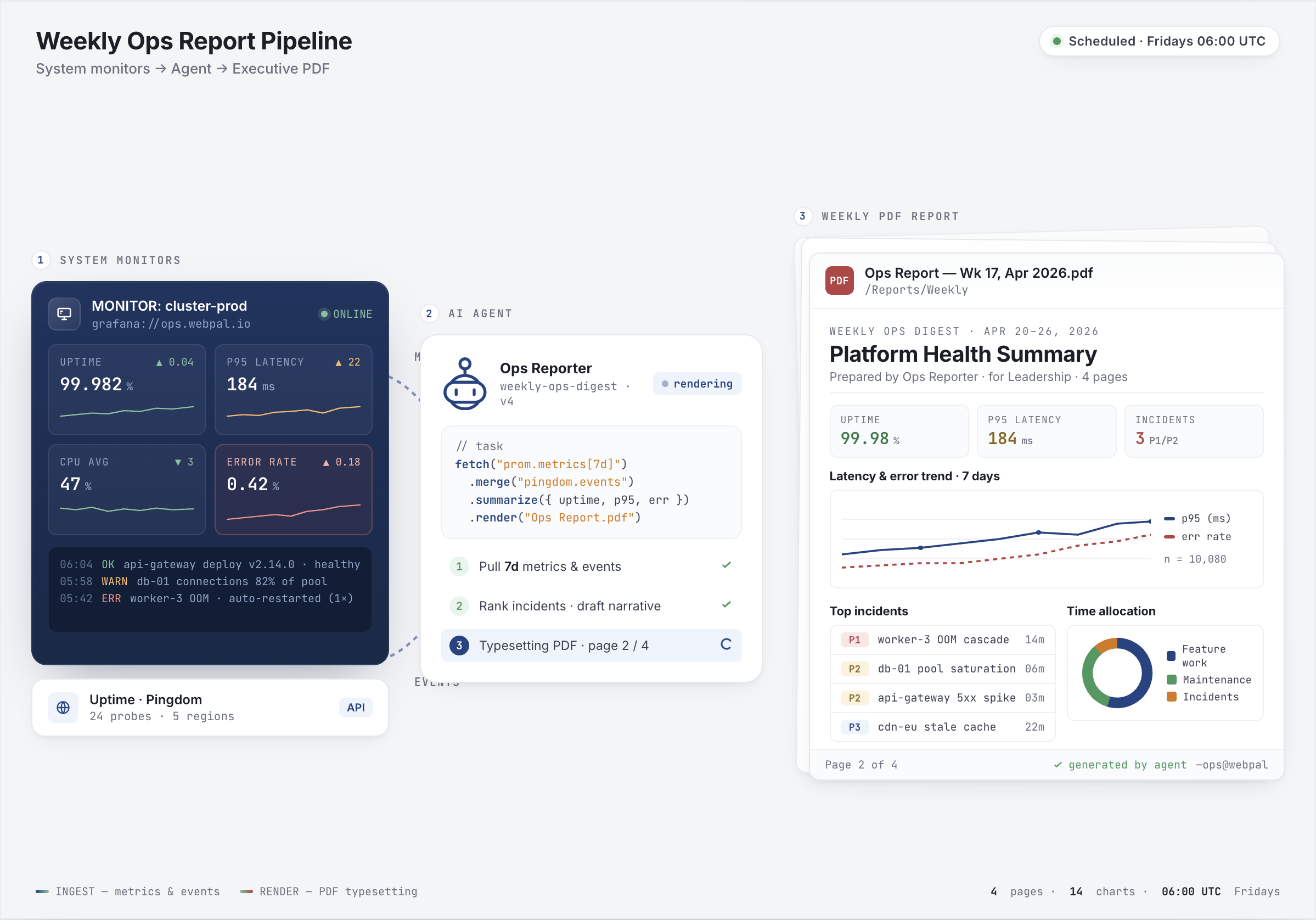
Automate document workflows and connect external systems without programming. Create intelligent workflows, trigger agents from emails, and integrate with your business tools.
Visual Workflow Builder
Drag and drop to create approval chains and routing rules. Build complex workflows visually without writing a single line of code.
Smart Conditional Logic
Route documents based on content, metadata, or business rules. Create if-then logic that adapts to your specific requirements automatically.
Multi-Stage Approvals
Create approval workflows with multiple stages and escalation paths. Automatic notifications keep everyone informed when action is needed.
Intelligent Error Handling
Built-in rules for when things go wrong. Automatic retry, escalation, or alternative paths ensure workflows keep moving smoothly.
Natural Language Workflows
Describe what you want in plain English and WebPal builds the workflow for you. No complex configuration interfaces needed.
Complete Audit Trail
Track every step of every workflow with complete history. Perfect for compliance requirements and process optimization.

 AUTOMATION EXAMPLES
Workflows in Action
See how workflow automation saves time and reduces errors. From invoice processing to contract approvals, automate the processes that matter most to your business.
Invoice Processing
Automatically route invoices for approval based on amount, vendor, and history. Extract data, verify against purchase orders, and flag exceptions.
Contract Approvals
Multi-stage approval workflows with legal review, financial approval, and executive sign-off. Track progress and ensure nothing falls through the cracks.
Document Distribution
Automatically distribute documents to the right people based on department, role, or custom rules. Track who received and viewed each document.
Compliance Workflows
Ensure regulatory compliance with automated checks, required approvals, and complete audit trails. Never miss a compliance deadline.
Workflow Automation Features
Powerful workflow agents and third-party integrations that connect WebPal to your business systems and automate complex processes.
Ready to automate your workflows?
See how WebPal's workflow automation can save time, reduce errors, and improve compliance.