Knowledge, Data, Agents.
All in one platform.
WebPal 4 introduces Flow — a built-in AI agent platform that automates workflows, connects systems, and makes your documents work for you.
All in a completely rebuilt interface, optimized for clarity, speed and adoption.
What's new
Major features in WebPal 4, organized by capability. Every change makes your team faster, smarter, and more connected.
Built-in AI Agent Platform
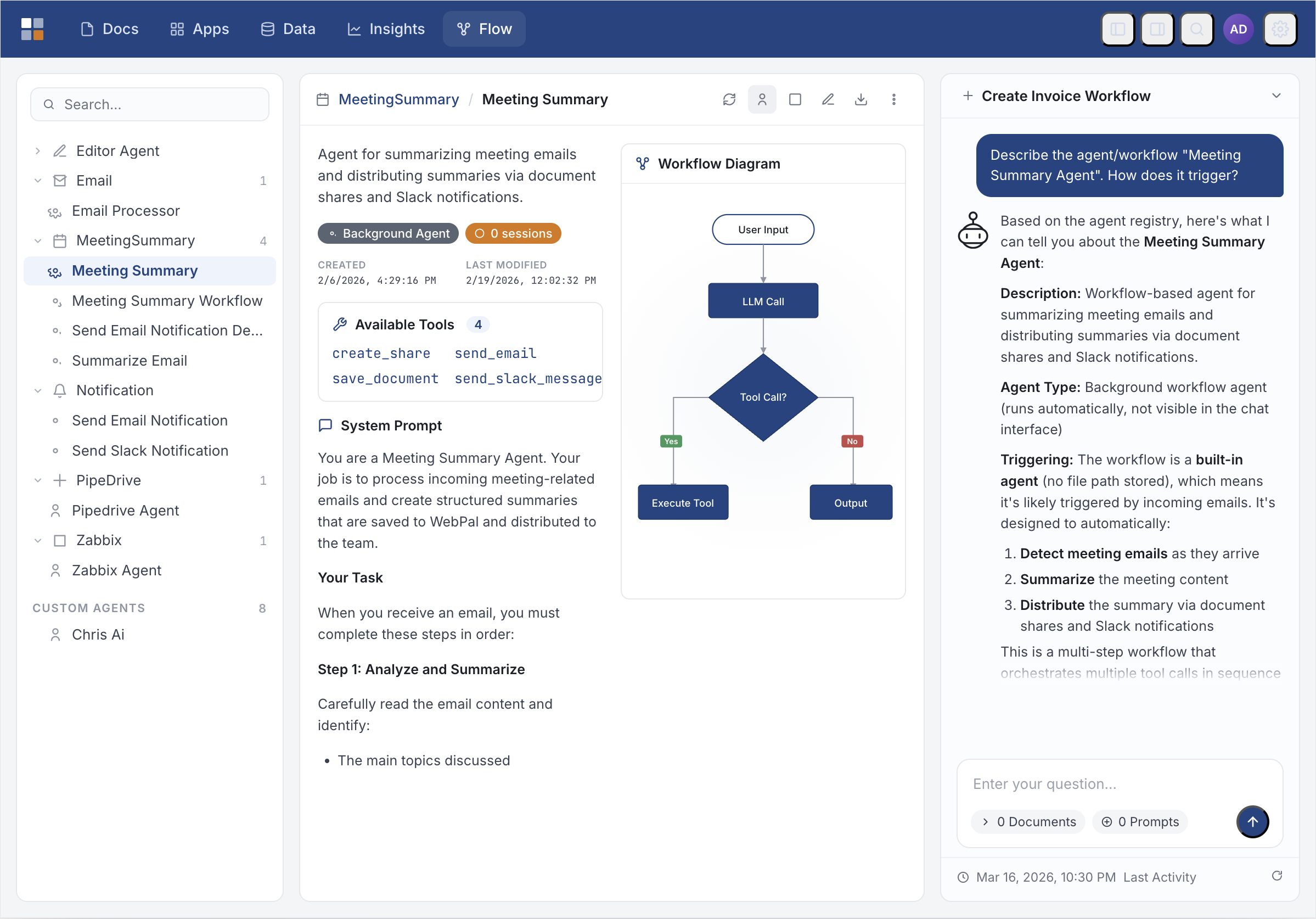
Flow lets you build, deploy, and manage intelligent agents without leaving WebPal. Chat with AI about your documents, automate multi-step workflows, and trigger agents from incoming emails — all with visual state diagrams and live status tracking.
Drag-and-Drop & Paste Upload
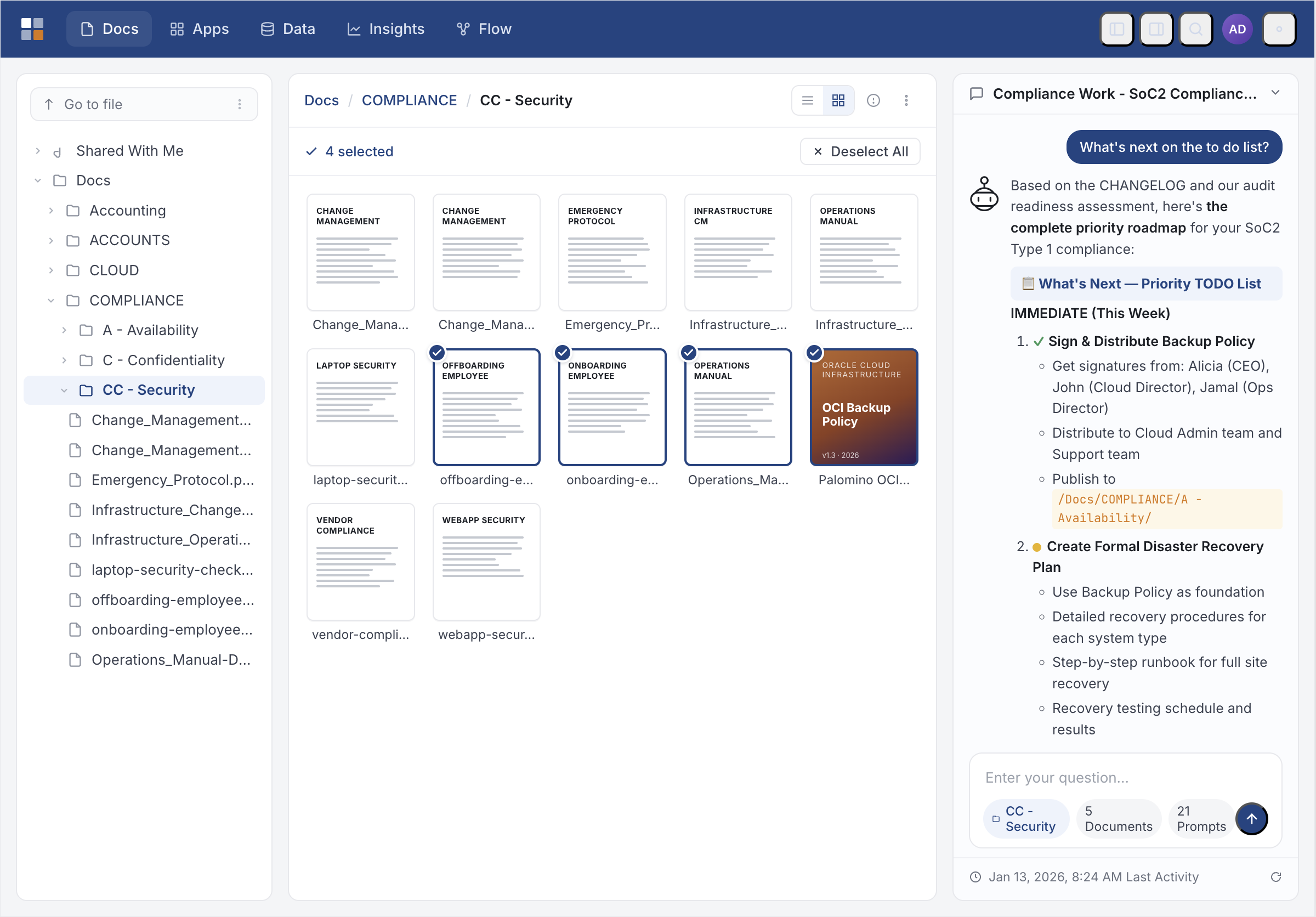
Files can now be uploaded by dragging them from your desktop onto the document list. Images and files can also be pasted directly from the clipboard — images are embedded inline in the document.
Email Workflow Automation
Incoming emails trigger agent workflows automatically via procmail integration. The built-in Meeting Summary Workflow extracts key points and posts to Slack — entire workflow runs in the background from a single email.
Export & Import Agents
Custom agents can be exported as portable archives and imported on any WebPal installation — making it easy to share automations across teams or environments.
GitHub Integration
Agents can query issues and pull requests, create tasks, update status, and manage labels across your GitHub repositories. Full API access for workflow automation and project tracking.
GitHub-Inspired Design
Rebuilt as a modern SPA on Vue 3 and Inertia.js with instant navigation, full dark mode, responsive layout, and toast notifications. Fast, clean, and familiar.
Google Workspace Integration
Connect to Google Drive, Gmail, Calendar, and Docs. Agents can read emails, sync documents, create calendar events, and automate cross-platform workflows between WebPal and your Google Workspace.
Home Dashboard
A new Home Dashboard gives users a quick view of recently worked-on documents and activity across their shared content, with filter controls and AI token usage at a glance.
Jira Integration
Create, update, and track Jira issues directly from WebPal. Agents can search tickets, update status, assign tasks, and sync project data between your knowledge base and issue tracker.
Live Document Editing with AI
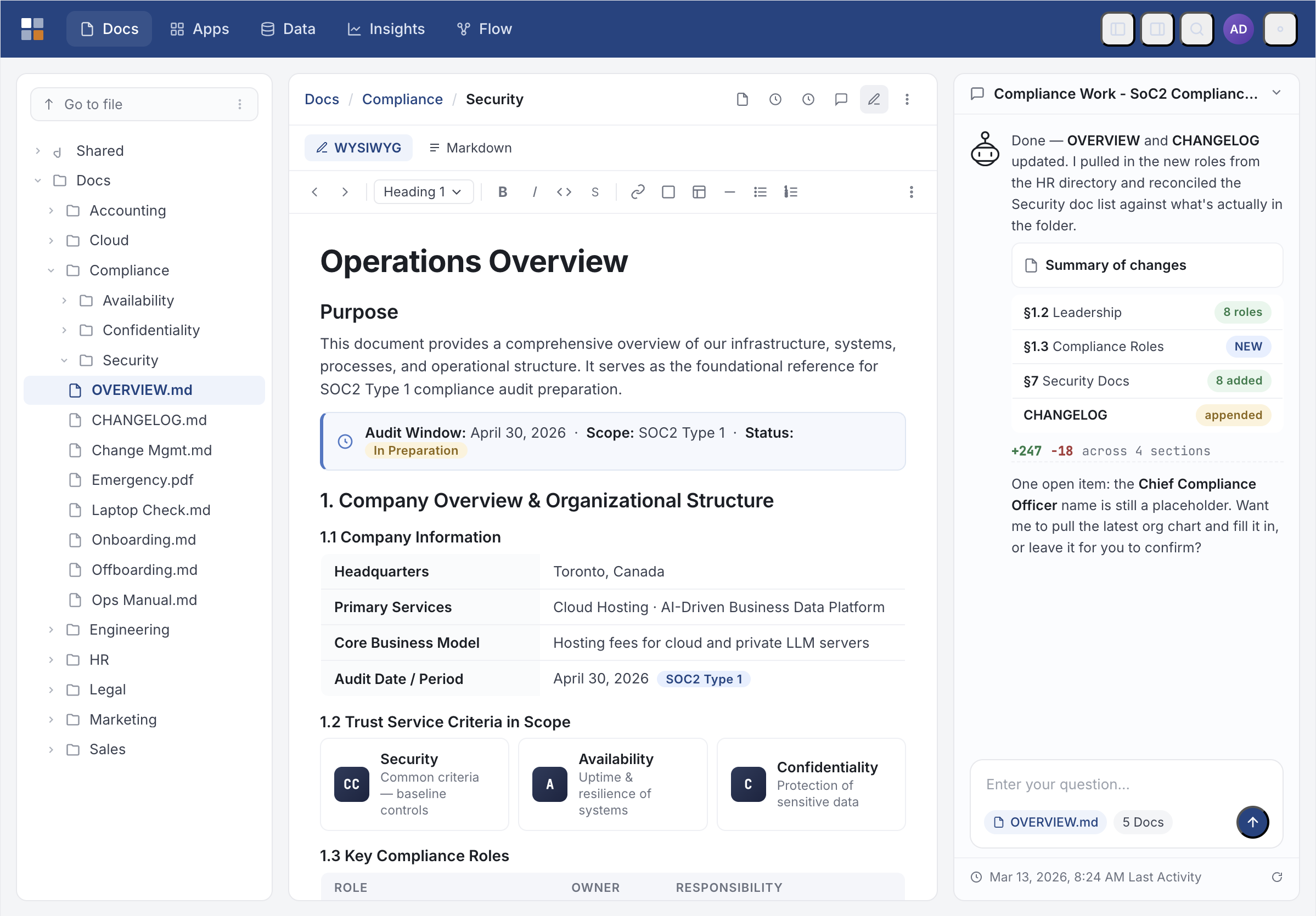
The Editor Agent streams document edits character-by-character directly into your open document. Watch changes appear in real time, like a colleague typing alongside you.
Live Prompt Editing
View and edit each agent's system prompt directly in the browser using a built-in code editor. Auto-save and change tracking included. No file access or server restart required.
Microsoft Teams Integration
Send notifications, share documents, and trigger workflows directly from Microsoft Teams channels. Agents post updates, respond to mentions, and keep your team synchronized across platforms.
Modern User & Group Management
User management and group administration rebuilt with the same modern interface used throughout WebPal 4 — clean tables, inline actions, and consistent styling.
Monaco HTML Editor & Draw.io Diagrams
Edit HTML in the VS Code editor with side-by-side live preview. Create and edit Draw.io diagrams directly inside WebPal with the embedded editor.
No-Code Agent Builder
Describe what you want an agent to do in plain English and AgentCreator builds it — writing the code, configuring tools, and registering the agent automatically. No programming required.
Per-User API Credentials
Users can store their own API credentials for connected tools (PipeDrive, GitHub, Zabbix, and others) from a personal Settings page, without involving an administrator.
PipeDrive CRM Integration
Connect to your PipeDrive CRM to search deals, leads, and contacts. Agents can add notes, update pipeline stages, and sync customer data directly from document workflows.
Real-Time Agent Notifications
Agents push toast notifications the moment a task completes — "Your report has been saved to /Reports/Q1" — delivered instantly via WebSocket to your browser.
Real-Time Collaboration
Actions by colleagues or AI agents are reflected in your browser immediately via WebSocket. File uploads, edits, and agent notifications appear instantly — no manual refresh needed.
Salesforce Integration
Query and update Salesforce records, opportunities, and accounts. Agents can create leads, log activities, and maintain bidirectional sync between your documents and CRM data.
Slack Integration
Post messages to Slack channels with threading and rich formatting. Agents send notifications, share summaries, and keep your team informed of document changes and workflow completions.
Token Usage Tracking
Prompt and completion token counts are recorded for every interaction and visible in conversation history and admin exports. Full visibility into AI usage across your team.
Trello Integration
Create and manage Trello cards, boards, and lists from WebPal. Agents can add tasks, update progress, and sync project status between your documents and visual kanban boards.
Version History & Activity Tracking
Re-uploading a file records the previous version instead of replacing it. Browse and restore any version. Every document shows a complete audit trail of who uploaded, edited, shared, or emailed it.
Workflow Visualisation
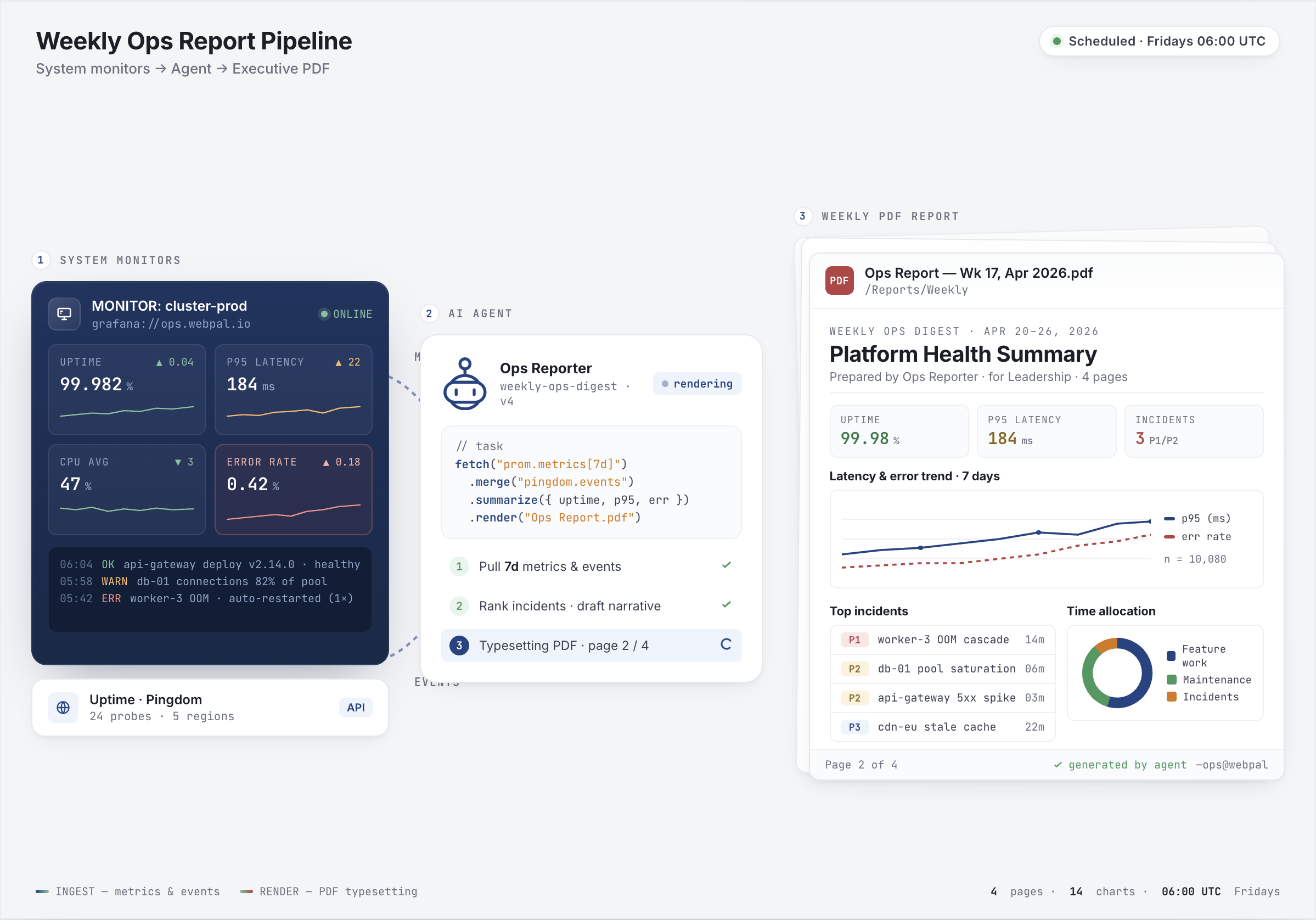
Every agent includes a visual state diagram rendered live in the browser. Workflow agents show their pipeline as a flowchart with sequential and parallel steps, fork/join points, and failure paths.
Zabbix Monitoring Integration
Query Zabbix for server metrics, network traffic, storage utilization, and active alerts. Agents provide real-time infrastructure health data and historical performance analytics.
AI Flow — Intelligent Agents Built In
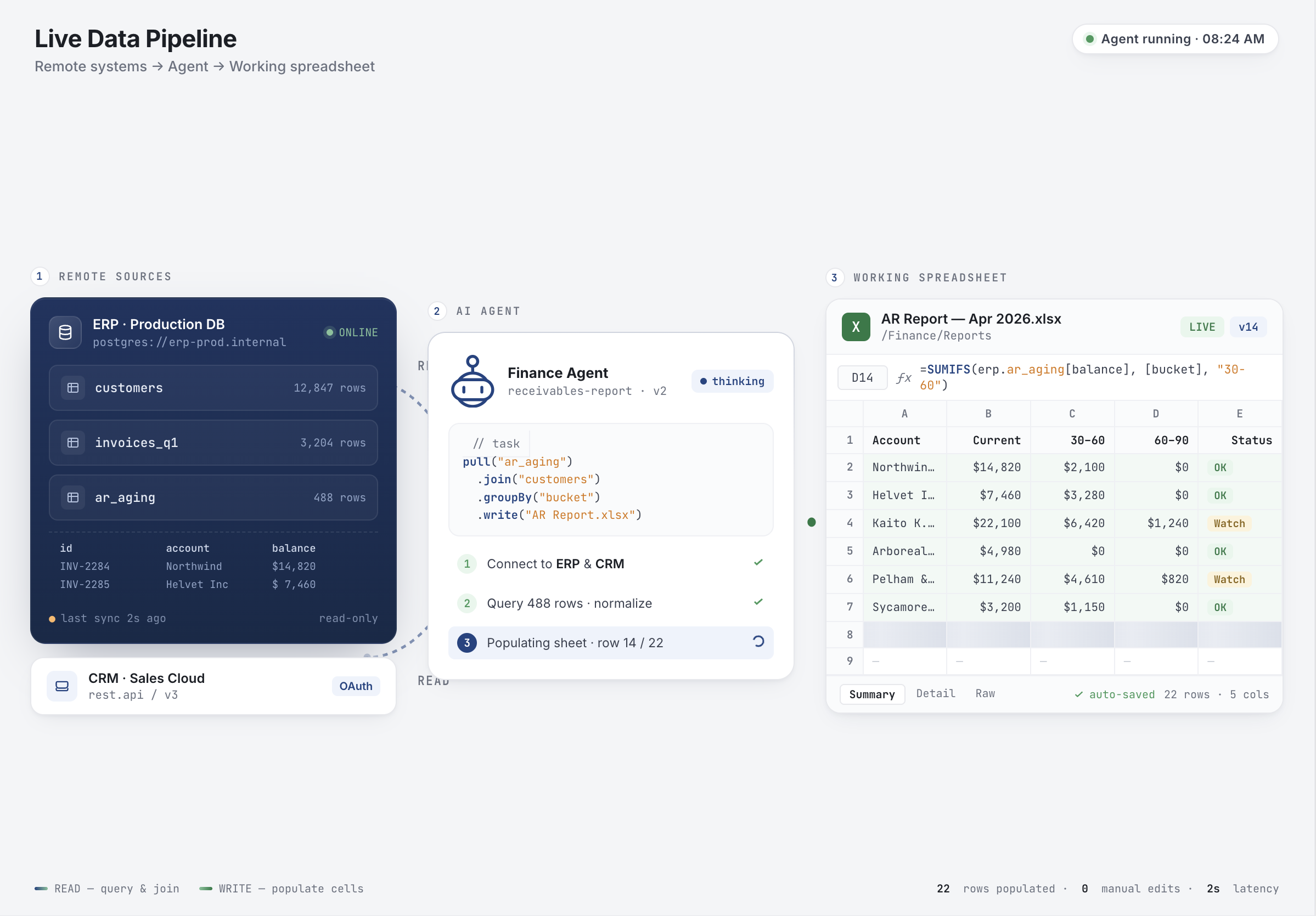
WebPal 4 introduces Flow, a complete AI agent platform that turns your documents into an intelligent, automated knowledge system.
Conversational Agents
Chat with AI that understands your documents. Ask it to summarize files, find related content, extract key information, or generate reports. It reads, writes, and navigates your library on your behalf.
Workflow Agents
Multi-step pipelines that chain agents together. Run steps sequentially or in parallel with configurable error handling. Visual flowcharts show fork/join points and failure paths.
Event-Triggered Agents
Background agents that run automatically when files change, folders update, or emails arrive. The Meeting Summary Workflow extracts action items from emails and posts to Slack — no human in the loop.
Live Prompt Editing
View and edit each agent's system prompt directly in the browser using a built-in code editor. Auto-save and change tracking included. No file access or server restart required.
Real-Time Notifications
Agents push toast notifications the moment a task completes — "Your report has been saved to /Reports/Q1" — delivered instantly via WebSocket to your browser.
Token Usage Tracking
Prompt and completion token counts are recorded for every interaction and visible in conversation history and admin exports. Full visibility into AI usage across your team.
WebPal 4 at a glance
Every major improvement in the platform. Speed, intelligence, and modern workflows.
Your path to WebPal 4
Deploy
First you need a new WebPal 4 Server and environment. Contact our team and we will help you size and provision your environment.
Prepare
Your Migration AI Agent will guide you through the process, connect to your WebPal 3 server, create an inventory and a migration plan.
Migrate
Migrate your documents, data, users, and settings. The migration agent handles the data transfer with full version history preserved.
Enable
Deploy the new server to your end-users. No downtime needed. We will help with the deployment process.
Get started with WebPal 4
Book a personalised demo and see how WebPal 4 can work for your team. We'll walk you through the platform and put together a plan together.